My Site Got Hit With the Japanese Keyword Hack. Here’s How I Got It Back
Avinash Chandran · SEO Specialist
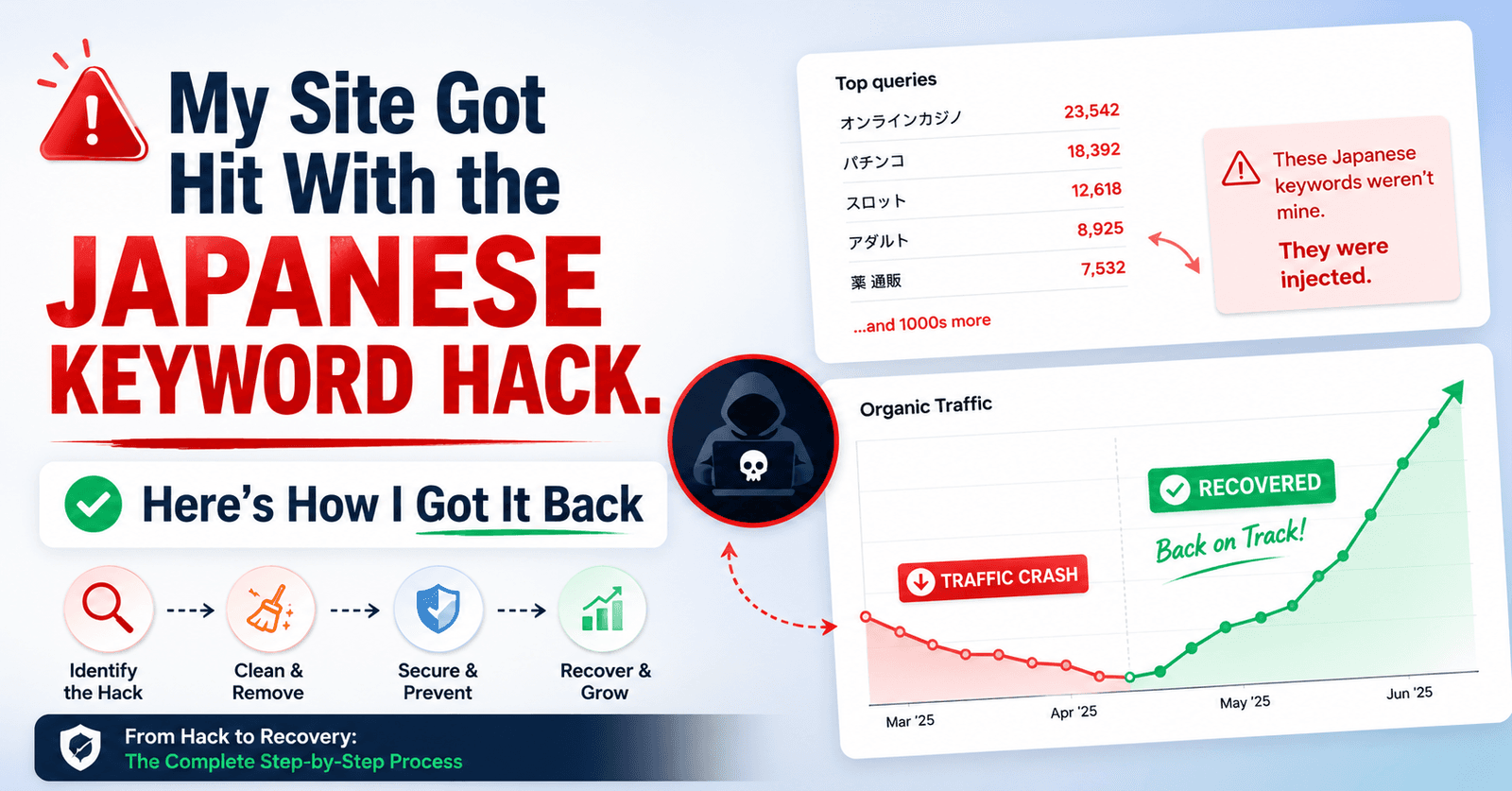
I woke up one morning, checked Search Console, and found thousands of Japanese text pages indexed on my site. Pages I never created, promoting products I’d never heard of, sitting right next to my real content in Google’s index.
That was my introduction to the Japanese Keyword Hack. And the recovery took months, not days. Here’s everything I did wrong, everything I did right, and the steps that actually got my site back.
What the Japanese Keyword Hack actually does#
Hackers inject your site with auto-generated junk pages filled with Japanese text. These pages usually promote counterfeit products or shady affiliate links. They get in through outdated plugins, weak passwords, or compromised credentials. In my case, the hacker even got into my Google Search Console and submitted a sitemap full of spam URLs to speed up indexing.
The result: my impressions tanked from 105K to 13.5K, and Google had over 800 spam pages indexed under my domain.
How they got in#
I traced it back to an old laptop I’d handed off to a family member without logging out of anything. Malware got downloaded, and it scraped every saved login, over 200 of them. That included my hosting credentials and my Google account.
The hacker didn’t just break into the site. They had my Search Console access, which meant they could push their own sitemap and accelerate the damage.
The mistake that made things worse#
My first instinct after restoring a backup was to block all the spam URLs using robots.txt. Logical, right? Prevent Google from crawling them again.
Wrong move. When you block a URL with robots.txt, Google can’t crawl it, which means it can’t see that the page is gone. Those 6,000+ spam pages stayed indexed because I’d accidentally told Google not to check on them.
I also tried the URL Removal Tool in Search Console. That’s designed for temporary removals and different problems entirely. It didn’t help.
These two mistakes cost me weeks. And when I went looking for guidance online, I couldn’t find a single comprehensive resource that addressed the deindexing side of this hack. Plenty of “how to clean your site” guides, almost nothing on “how to get 10,000 spam pages out of Google’s index.”
What actually worked#
Step 1: Secure every login. I changed all 200+ passwords and enabled two-factor authentication on every critical account. Hosting, Google, CMS, email, everything. If the hacker still had credentials, none of this would matter.
Step 2: Restore from a clean backup. I rolled back to a version of the site from before the hack using my hosting provider’s backup. This wiped the injected files and spam pages from the server in one shot. If you don’t have backups, this is your sign to set them up today.
Step 3: Remove the robots.txt blocks. I undid my earlier mistake. Google needs to be able to crawl those URLs to discover they no longer exist. Blocking them keeps them frozen in the index.
Step 4: Return 410, not 404. For every deleted spam page, I set the status code to 410 Gone instead of 404. A 410 tells Google the page is permanently removed, not just missing. Google processes 410s faster than 404s for deindexing.
Step 5: Submit a temporary sitemap of the spam URLs. This sounds counterintuitive, but it works. I created a sitemap containing all the spam URLs and submitted it to Search Console. This nudges Google to recrawl those URLs quickly. When Googlebot hits them and gets a 410, it starts dropping them from the index.
Step 6: Wait and keep building. There’s no instant fix after this point. I kept publishing real content, kept the site clean, and monitored Search Console for any new spam pages showing up. The rankings came back gradually over the next few months.
What I’d do differently#
Three things. First, I would never hand off a device without logging out of every account and clearing saved passwords. That single oversight started the entire chain.
Second, I would skip the robots.txt block entirely. It feels like the right call in the moment, but it actively slows down recovery. Let Google crawl the dead URLs. That’s how it learns they’re gone.
Third, I would go straight to the 410 + temporary sitemap approach from day one instead of wasting time with the URL Removal Tool. The removal tool is not built for this scale of problem.
If you’re dealing with this right now, the short version is: secure your logins, restore a clean backup, serve 410s on every spam URL, submit a sitemap of those URLs so Google recrawls them fast, and then be patient. The recovery is slow, but the site does come back.